
Best-practice lists for Flutter age quickly. Some advice from two years ago is now built into the language, and some of it is checked for you by the analyzer. As of October 1, 2026, the current stable release is Flutter 3.47.6 with Dart 3.13.5, and that changes what a good default looks like.
These are ten habits that fit that release. Each one comes with the reason behind it, because a habit you understand survives the next upgrade.
1. Describe each screen state as its own type
A screen that loads data is never in one state. It is loading, or it has data, or it failed. Three booleans can describe that, and they can also describe nonsense such as “loading and failed at once”.
A sealed class lists the real states and nothing else:
sealed class OrdersState;

class OrdersLoading extends OrdersState;

class OrdersLoaded(final List<Order> orders) extends OrdersState;

class OrdersFailed(final String message) extends OrdersState;
The short declarations use primary constructors, which became stable in Dart 3.13. The older, longer form works just as well.
The payoff is in the widget. A switch over a sealed type has to cover every case, so adding a fourth state later turns every place that forgot it into a compile error:
return switch (state) {
  OrdersLoading() => const Center(child: CircularProgressIndicator()),
  OrdersLoaded(orders: []) => const EmptyOrders(),
  OrdersLoaded(:final orders) => OrdersList(orders: orders),
  OrdersFailed(:final message) => ErrorPanel(message: message, onRetry: onRetry),
};
The empty list gets its own branch on purpose. Loading, empty and error states are separate designs, and the type system can now remind you of that.
2. Keep logic out of widgets
Flutter’s own architecture recommendations rate two rules as strongly recommended: use the repository pattern for data, and do not put logic in widgets. A widget should show state and report taps. Something else should decide what happens.
class OrdersViewModel extends ChangeNotifier {
  OrdersViewModel(this._repository);

  final OrdersRepository _repository;

  OrdersState state = OrdersLoading();

  Future<void> load() async {
    state = OrdersLoading();
    notifyListeners();
    try {
      state = OrdersLoaded(await _repository.fetchOrders());
    } on Exception {
      state = OrdersFailed('Could not load your orders.');
    }
    notifyListeners();
  }
}
The screen listens and draws:
ListenableBuilder(
  listenable: viewModel,
  builder: (context, child) {
    return OrdersBody(state: viewModel.state, onRetry: viewModel.load);
  },
)
The same guide lists ChangeNotifier as one option among several, so a state management package you already use is fine. The boundary is the habit. There is a longer walk-through in a practical repository pattern example and a picture version in what happens when you tap Save.
3. Split the UI into widget classes, and make them const
A private method such as _buildHeader() looks tidy, but it is still part of the parent’s build method. It runs every time the parent rebuilds.
A widget class with a const constructor is different. When the parent rebuilds and hands Flutter the same constant instance, Flutter stops walking down that branch.
class OrdersHeader extends StatelessWidget {
  const OrdersHeader({super.key});

  @override
  Widget build(BuildContext context) {
    return const Padding(
      padding: EdgeInsets.all(16),
      child: Text('Your orders'),
    );
  }
}
The performance best practices page gives both pieces of advice: prefer a StatelessWidget over a function for reusable UI, and use const constructors wherever you can.
4. Rebuild the smallest part that changed
Calling setState rebuilds every widget below that State. If a cart badge is the only thing that changes, the whole screen should not rebuild with it.
Put the changing value in something small and listen close to where it is drawn. Builders also take a child that is built once and reused:
ValueListenableBuilder<int>(
  valueListenable: cartCount,
  child: const Icon(Icons.shopping_cart_outlined),
  builder: (context, count, child) {
    return Badge(label: Text('$count'), child: child);
  },
)
Only the badge label is rebuilt when the count changes. The icon is created once. The same child argument exists on AnimatedBuilder and ListenableBuilder, and it matters most in animations, where the builder runs on every frame.
5. Build long lists lazily and respect the frame budget
On a 60 Hz screen a frame has about 16 milliseconds, shared between building and drawing. On a 120 Hz phone it is about 8. A list that builds 500 rows up front spends that budget on rows nobody can see.
ListView.builder(
  itemCount: orders.length,
  itemBuilder: (context, index) => OrderTile(order: orders[index]),
)
The builder constructors create rows only as they scroll into view. Use them for any list or grid whose length depends on data.
Two more items from the same performance page are worth keeping in mind. Avoid the Opacity widget in animations and use AnimatedOpacity or a semi-transparent color instead. Prefer a borderRadius on the decoration over clipping when all you need is rounded corners.
6. Check mounted after every await
An await is a pause. While the code waits, the person may leave the screen, and the widget that owned the BuildContext is gone. Using that context afterwards is a bug that only shows up on slow networks.
Future<void> _save(BuildContext context) async {
  await viewModel.save();
  if (!context.mounted) return;
  ScaffoldMessenger.of(context).showSnackBar(
    const SnackBar(content: Text('Saved')),
  );
}
Use context.mounted when the context was passed in, as it is here. Inside a State class, check the state’s own mounted property instead. The use_build_context_synchronously lint, part of the recommended Flutter set, flags a missing check and also the wrong one of the two. Treat that warning as a real defect, not as noise.
7. Dispose what you create
Controllers, focus nodes, animation controllers and stream subscriptions hold resources and listeners. If a State creates one, the same State should release it.
class _SearchFieldState extends State<SearchField> {
  final TextEditingController _controller = .new();
  final FocusNode _focusNode = .new();
  StreamSubscription<List<Order>>? _results;

  @override
  void dispose() {
    _results?.cancel();
    _controller.dispose();
    _focusNode.dispose();
    super.dispose();
  }

  // build() uses the controller and focus node.
}
A simple rule keeps this honest: every field that needs releasing gets a matching line in dispose, written at the moment the field is added.
8. Use the newer Dart syntax where it removes noise
The .new() above is a dot shorthand, available from Dart 3.10. When the expected type is already known, you can leave the type name out. It reads best with enums:
Column(
  mainAxisAlignment: .center,
  crossAxisAlignment: .start,
  children: [
    Text(order.title),
    ?discountLabel,
    Text(order.total),
  ],
)
?discountLabel is a null-aware element, available from Dart 3.8. If discountLabel is null it is left out of the list, which replaces the if (discountLabel != null) discountLabel! pattern.
Two cautions. Both features depend on the language version, so the SDK constraint in pubspec.yaml has to be at least 3.10 for shorthands and 3.8 for null-aware elements. And a shorthand needs a known type to its left; where the type is not obvious to a reader, write the full name.
9. Preview and test each state on its own
Widget Previews are stable in Flutter 3.47. You annotate a function that returns a widget, and the previewer draws it without starting the whole app. That makes the failure state as easy to look at as the happy one:
import 'package:flutter/widget_previews.dart';
import 'package:material_ui/material_ui.dart';

@Preview(name: 'Orders: failed', group: 'Orders')
Widget ordersFailedPreview() {
  return OrdersBody(
    state: OrdersFailed('Could not load your orders.'),
    onRetry: () {},
  );
}
Start it with flutter widget-preview start, or open the Flutter Widget Preview tab in your editor. The previewer runs on Flutter web, so widgets that need native plugins or dart:io will not render there. That is one more reason to keep those calls behind a repository.
The same boundary makes tests short. A fake repository is enough to check the failure path:
class FakeOrdersRepository implements OrdersRepository {
  @override
  Future<List<Order>> fetchOrders() async => throw Exception('offline');
}

test('load reports a failure the screen can show', () async {
  final viewModel = OrdersViewModel(FakeOrdersRepository());
  await viewModel.load();
  expect(viewModel.state, isA<OrdersFailed>());
});
10. Let the analyzer hold the line
Habits slip under deadline pressure. Lints do not. Start from the recommended Flutter set and add the rules that match the habits above:
include: package:flutter_lints/flutter.yaml

linter:
  rules:
    - prefer_const_constructors
    - unawaited_futures
    - cancel_subscriptions
    - close_sinks
Then make three commands part of every change:
dart format .
flutter analyze
dart fix --dry-run
dart fix --dry-run lists the fixes it would apply; dart fix --apply makes them. Dart 3.13 also added lints for teams adopting primary constructors, such as use_declaring_parameters. Turn those on when the team has agreed to the new style, not before.
One dated item
Flutter 3.47 moved Material and Cupertino into the material_ui and cupertino_ui packages. The copies inside the SDK still work today, and the Flutter team has scheduled their deprecation for the stable release planned for November 2026. If your imports still say package:flutter/material.dart, the 3.47 article covers the one-command migration.
The short version
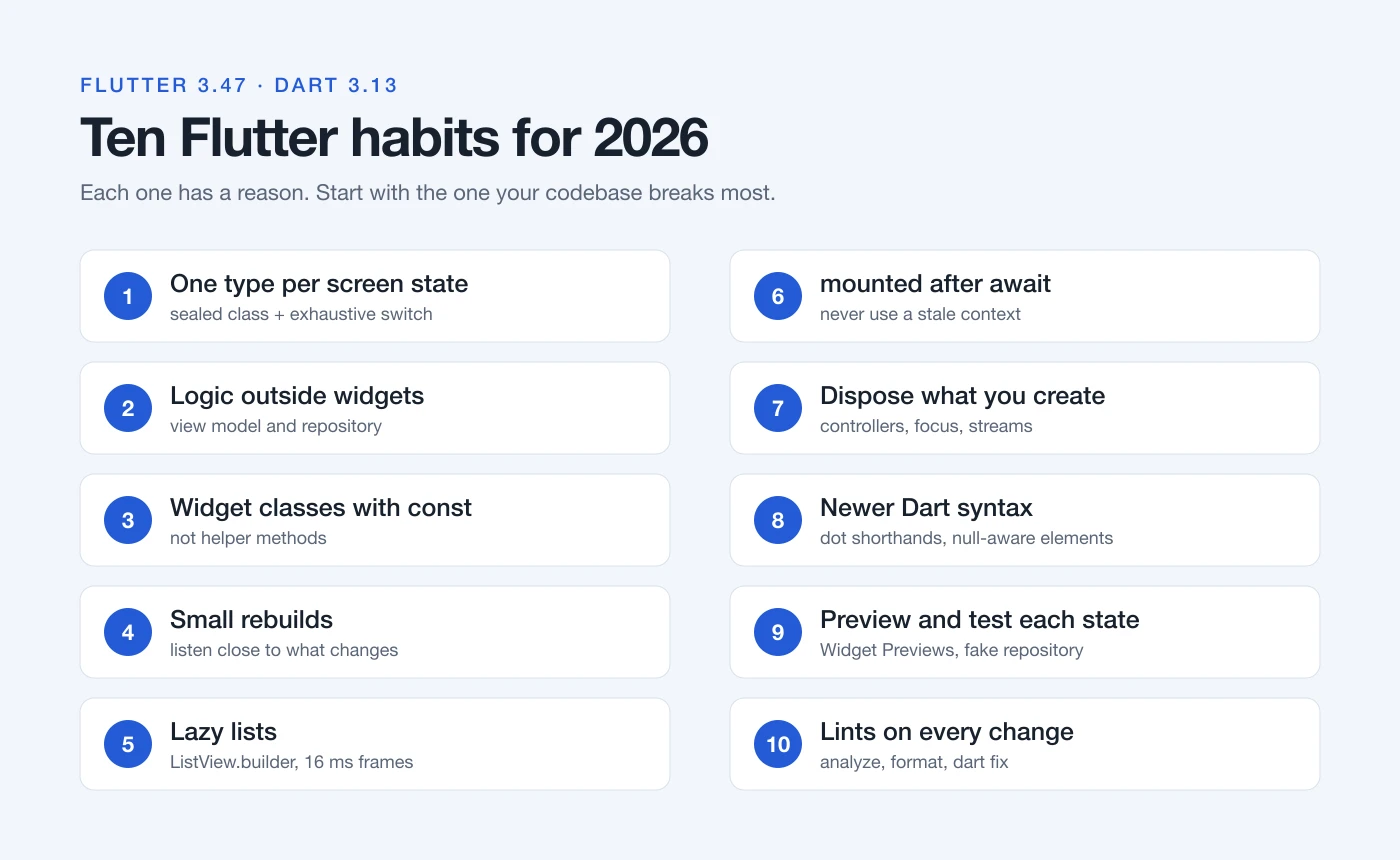
- One type per screen state, and a
switchthat covers them all. - Logic in a view model or repository, never in a widget.
- Widget classes with
constconstructors instead of helper methods. - Rebuild the smallest part that changed.
- Lazy builders for lists, and an eye on the frame budget.
- A
mountedcheck after everyawait. - A
disposeline for every controller and subscription. - Dot shorthands and null-aware elements where they make code clearer.
- A preview and a test for each state.
- Lints, the formatter and
dart fixon every change.
None of these needs a new package or a rewrite. Pick the one your codebase breaks most often, fix it in one feature, and let the analyzer keep it fixed.