
You tap Save. The word on the button changes. You close the app, open it again, and the note is still there.
That is a lot of work for one small tap. The work is easier to follow if you watch where it goes.
Three places, one tap
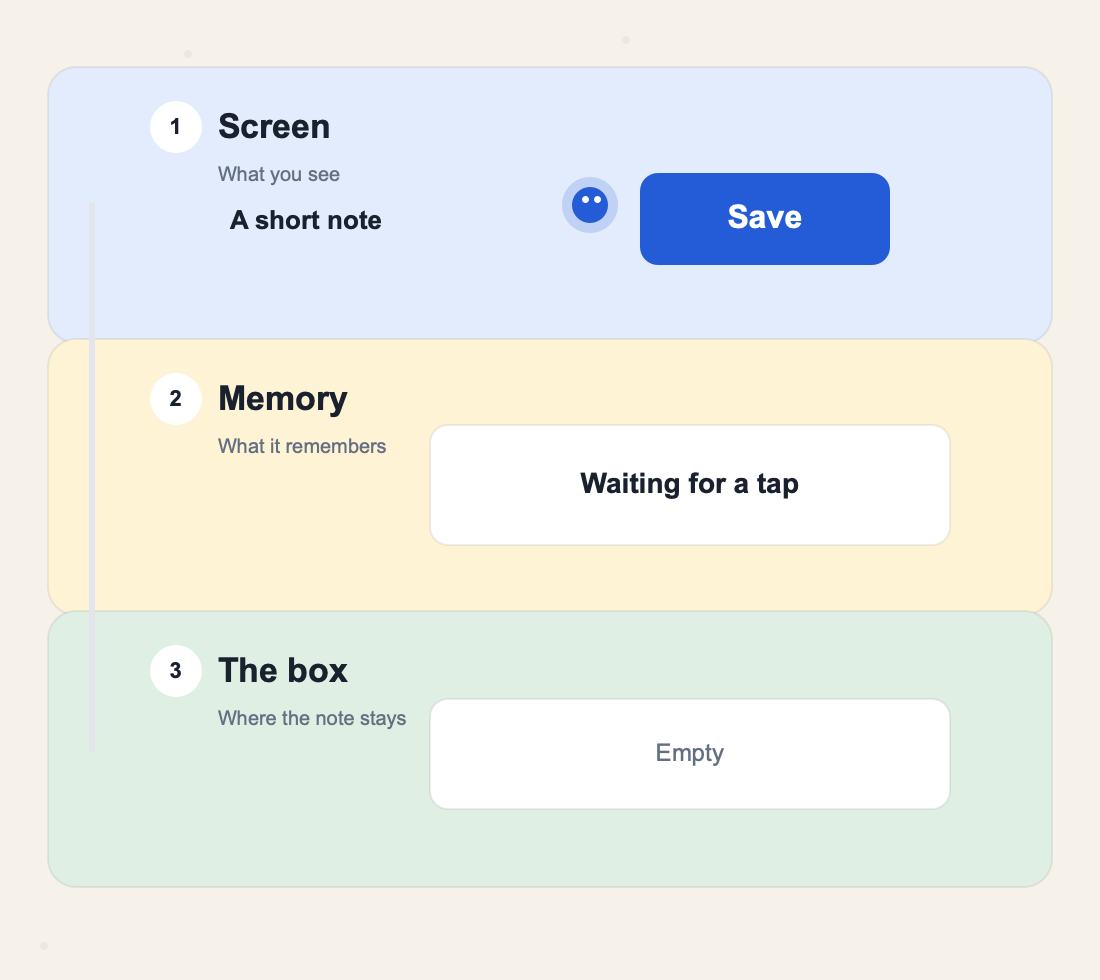
The picture has three cards.
- Screen. This is what the person sees. The note. The button. The color.
- Memory. This sits next to the screen and remembers what is going on. Waiting. Saving. Saved. Or not saved.
- The box. This is where the note really stays. A file on the phone, or a list on a server.
The blue dot is the tap. It should not do all three jobs by itself. It should visit them in order.
The screen only shows and listens
The screen has a small job. It draws what is true right now, and it hears the tap.
It should not also know how a file is written, or how a server call is made. If it does, a change in the box forces you to edit the picture people see. That is how a simple button grows into a mess.
The words on the button come from the memory, not from the button itself. The button only says, "someone tapped me."
The memory keeps the story straight
Right after the tap, the note is not safe yet. The person needs to see that.
So the memory holds one short line:
- waiting for a tap
- saving the note
- the note is saved
- the note was not saved
The screen reads that line and draws it. In the picture, the yellow card is this memory. It is the only card that should change the words on the button.
The box keeps the note
The green card is the box. At the start it says Empty. After a good save, the note is sitting inside it.
The memory asks the box to keep the note. The box answers yes or no. The memory then tells the screen what to draw.
The screen never has to know if the box is a file or a server. Later, you can swap the box. The button can stay the same.
Watch the dot go down, then come back
The moving picture is the whole trip. It lasts a few seconds, then it starts again.
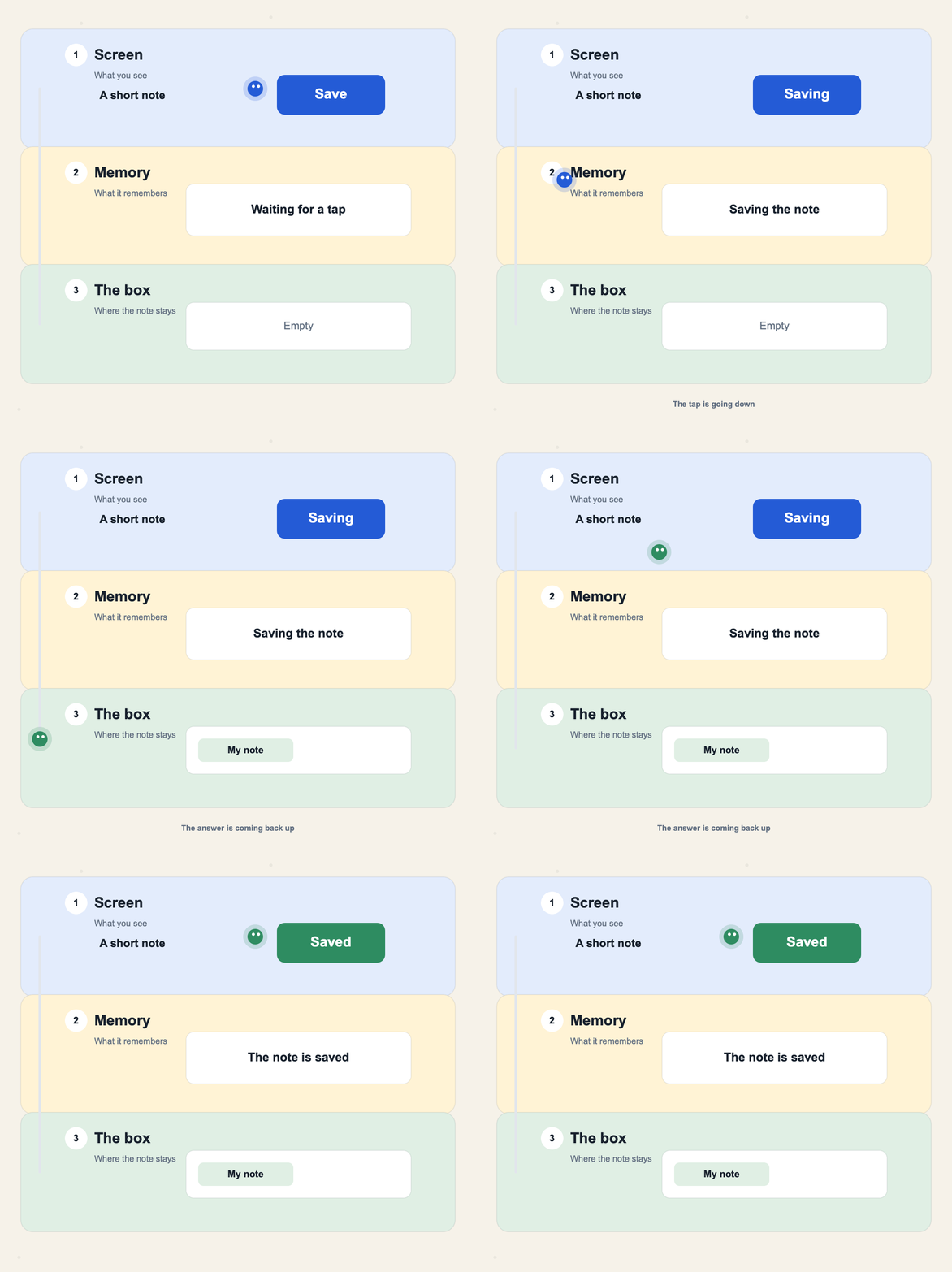
Read it like this:
- The dot starts beside Save.
- It drops into Memory. The button says Saving.
- It drops into the box. The box takes the note.
- A green dot, the yes, climbs back to Memory.
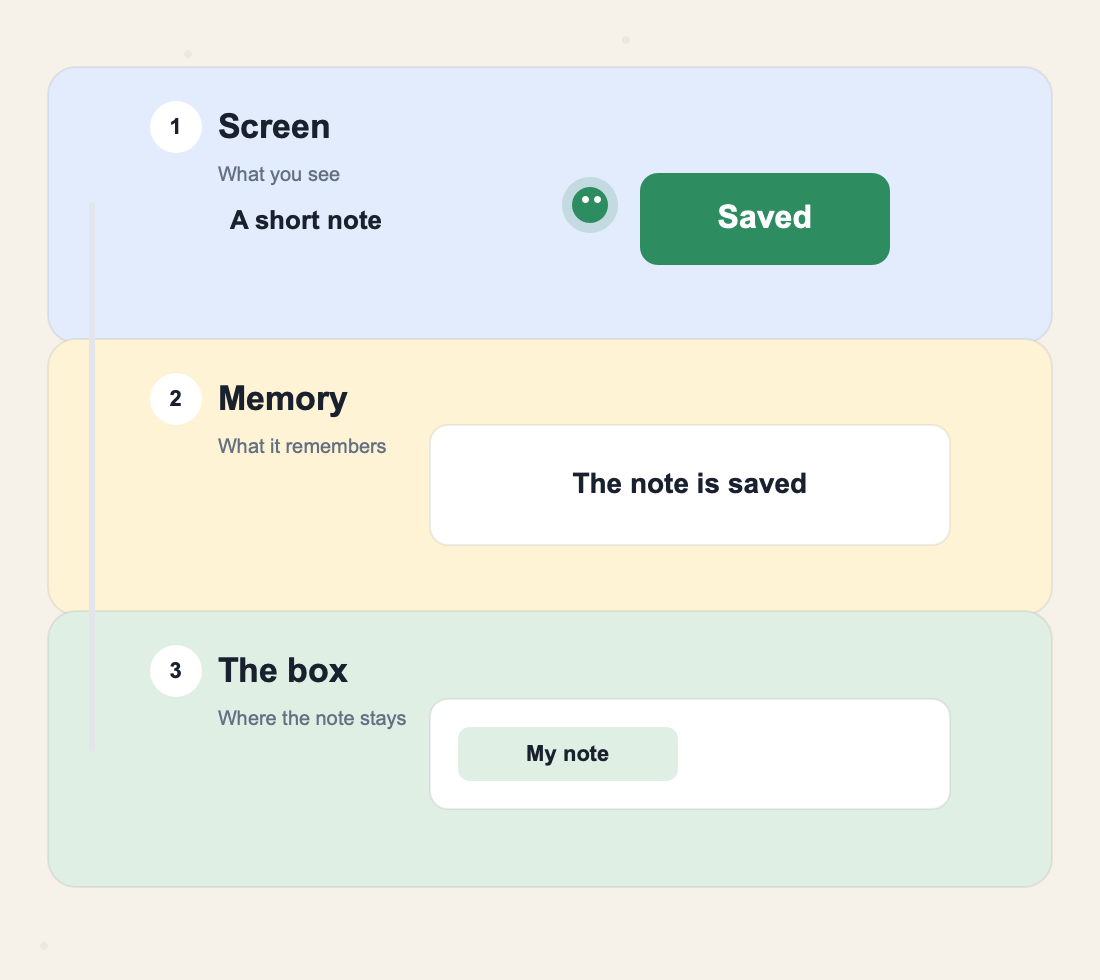
- The yes reaches the screen. The button says Saved.
Both directions matter. A screen that sends the tap and never waits will say Saved before the note is safe.
The same idea in a few lines of code
The names in the code match the cards.
class NoteBox {
  Future<void> keep(String text) async {
    // Write the note to a file, or send it to a server.
  }
}

class NoteMemory {
  NoteMemory(this.box);

  final NoteBox box;
  String label = 'Save';

  Future<void> onSave(String text) async {
    label = 'Saving';
    await box.keep(text);
    label = 'Saved';
  }
}
The screen draws label on the button. The button calls onSave. The box does the keeping. await means the memory waits for the box before it changes the word to Saved.
This is the same split as the reading list example. That post uses the longer names Flutter docs use. Here the names are just screen, memory, and box.
When the box says no
The phone may be offline. The server may be down. The box cannot keep the note.
The memory should not pretend. It should set the line to "not saved" and let the person tap again. A button that stays on Saved after a failed write is a lie.
Waiting, a clear miss, and a way to try again are the same needs as any other screen. The guide to loading, empty, and error states walks through those faces.
Try this on the next button
Pick one button in an app you are building. Before you add more code, write the three stops on paper.
- What does the screen show while it waits, when it works, and when it fails?
- What one line does the memory remember?
- What does the box keep, and what does it answer?
If you can point at each stop, the tap has a path. If you cannot, the button is doing too many jobs at once.